Online Adding/ Dropping of Subjects

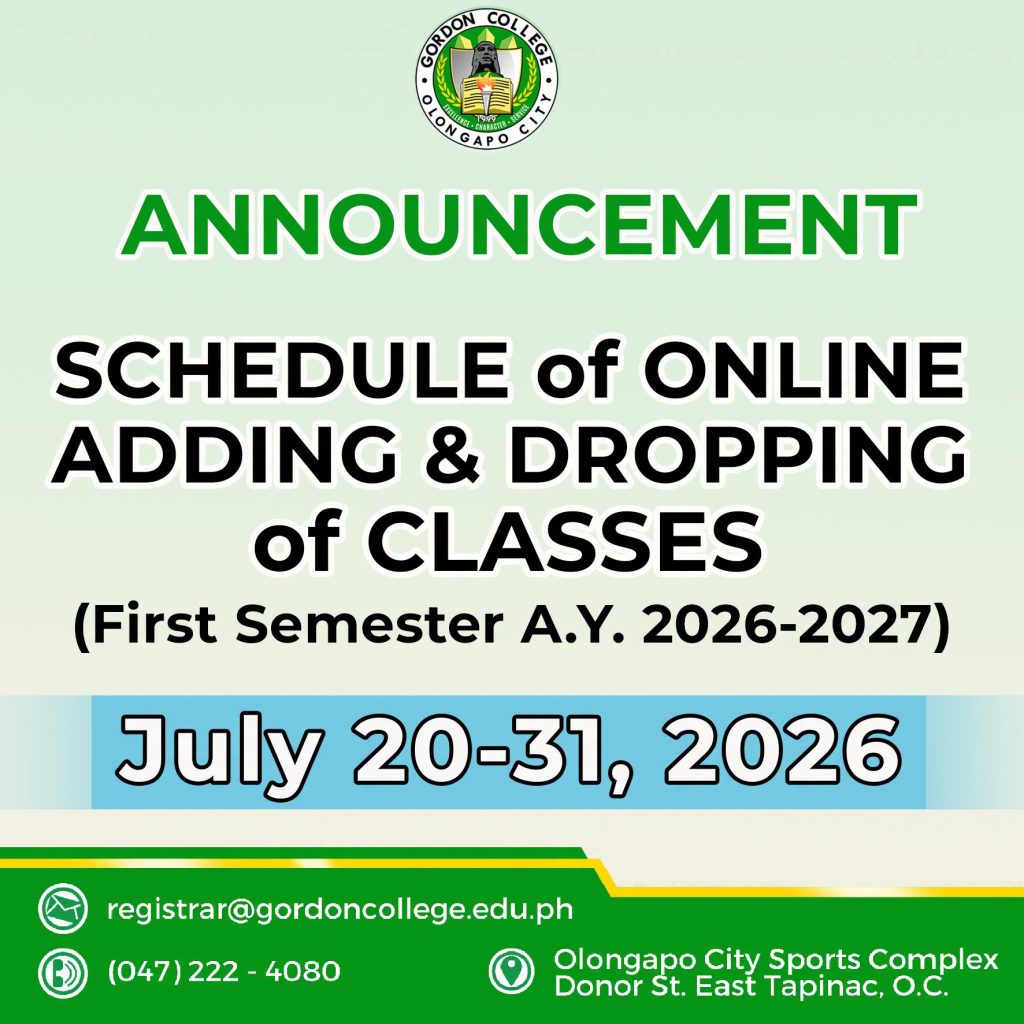
𝗔𝗡𝗡𝗢𝗨𝗡𝗖𝗘𝗠𝗘𝗡𝗧:
𝗢𝗡𝗟𝗜𝗡𝗘 𝗔𝗱𝗱𝗶𝗻𝗴/𝗗𝗿𝗼𝗽𝗽𝗶𝗻𝗴 𝗼𝗳 𝗖𝗹𝗮𝘀𝘀𝗲𝘀
First Semester Academic Year 2026-2027
July 20-31, 2026
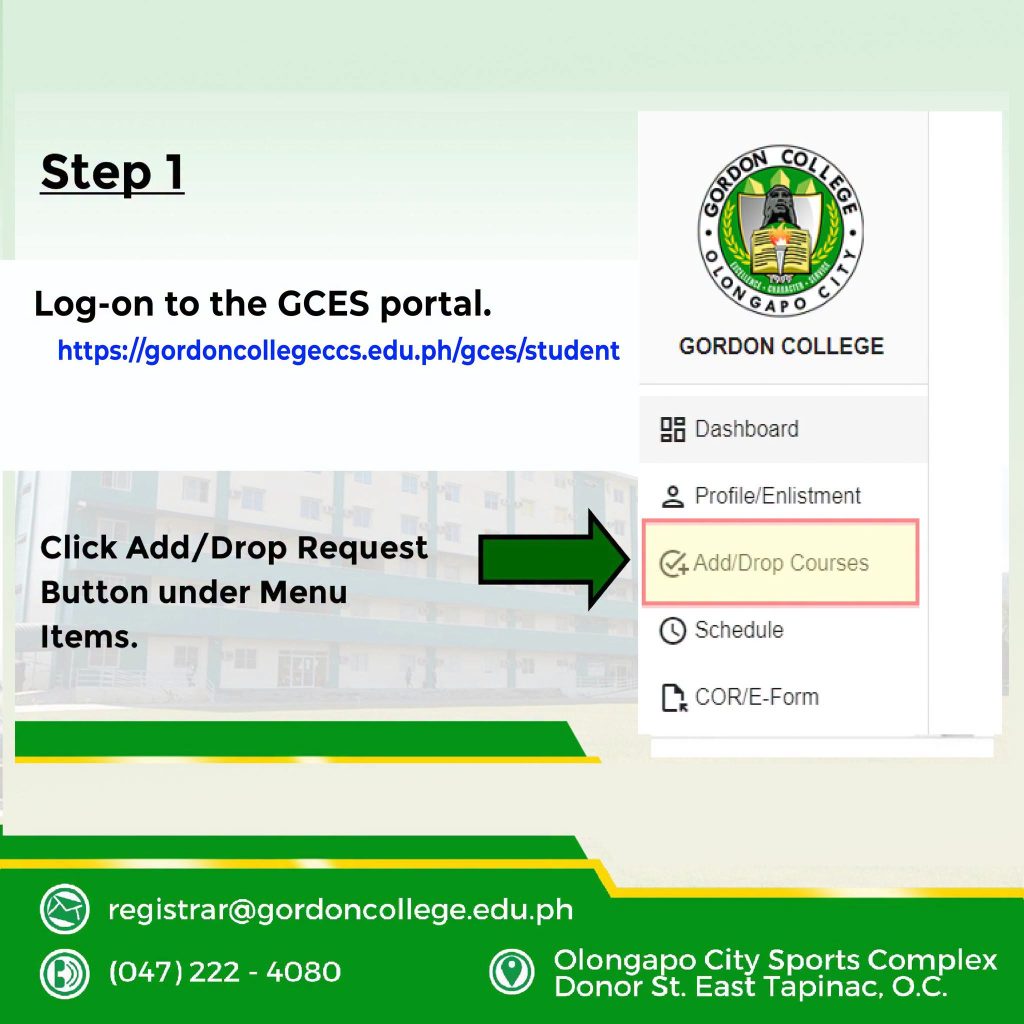
 𝗦𝘁𝗲𝗽 𝟭
Log-on to the student portal (https://gordoncollegeccs.edu.ph/gces/student)
Click Add/Drop Request Button under Menu Items.
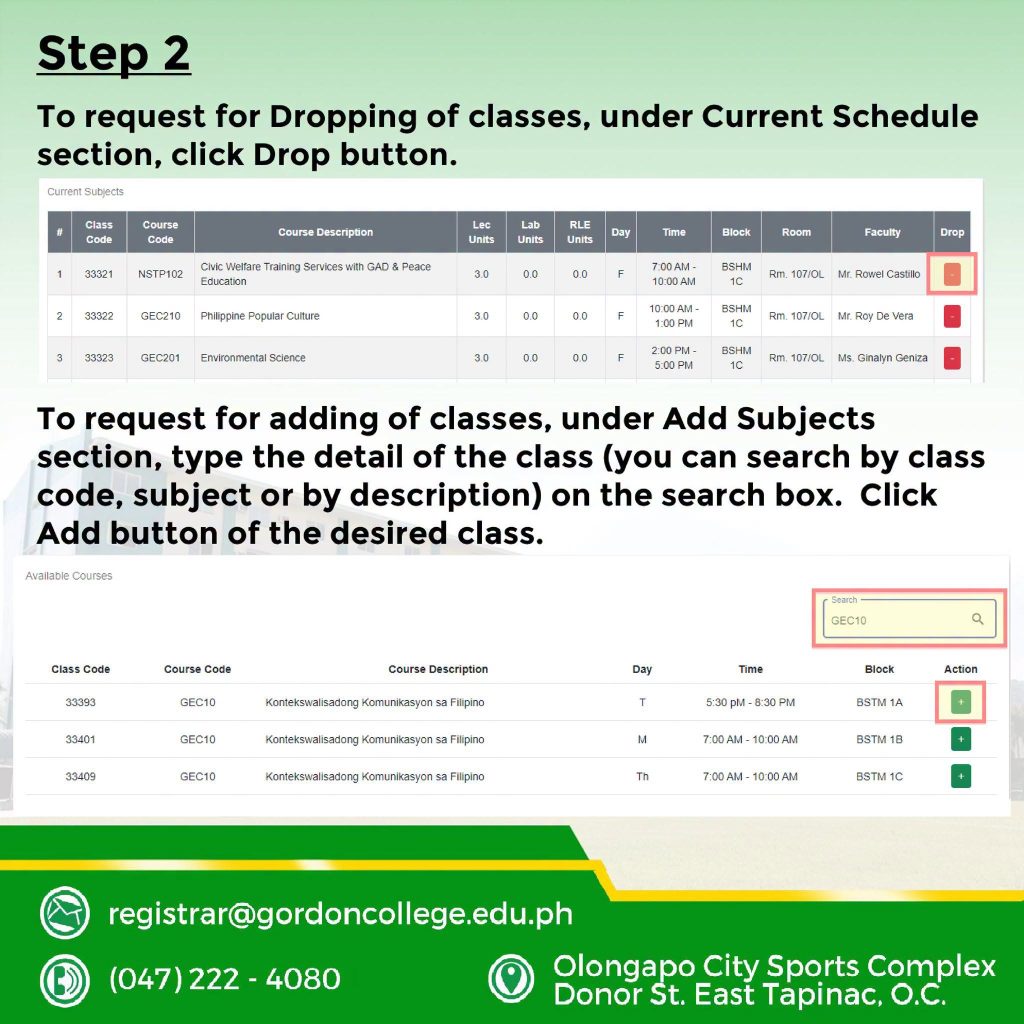
𝗦𝘁𝗲𝗽 𝟮
To request for Dropping of classes, under Current Schedule section, click Drop button.
To request for adding of classes, under Add Subjects section, type the detail of the class (you can search by class code, subject or by description) on the search box. Click Add button of the desired class.
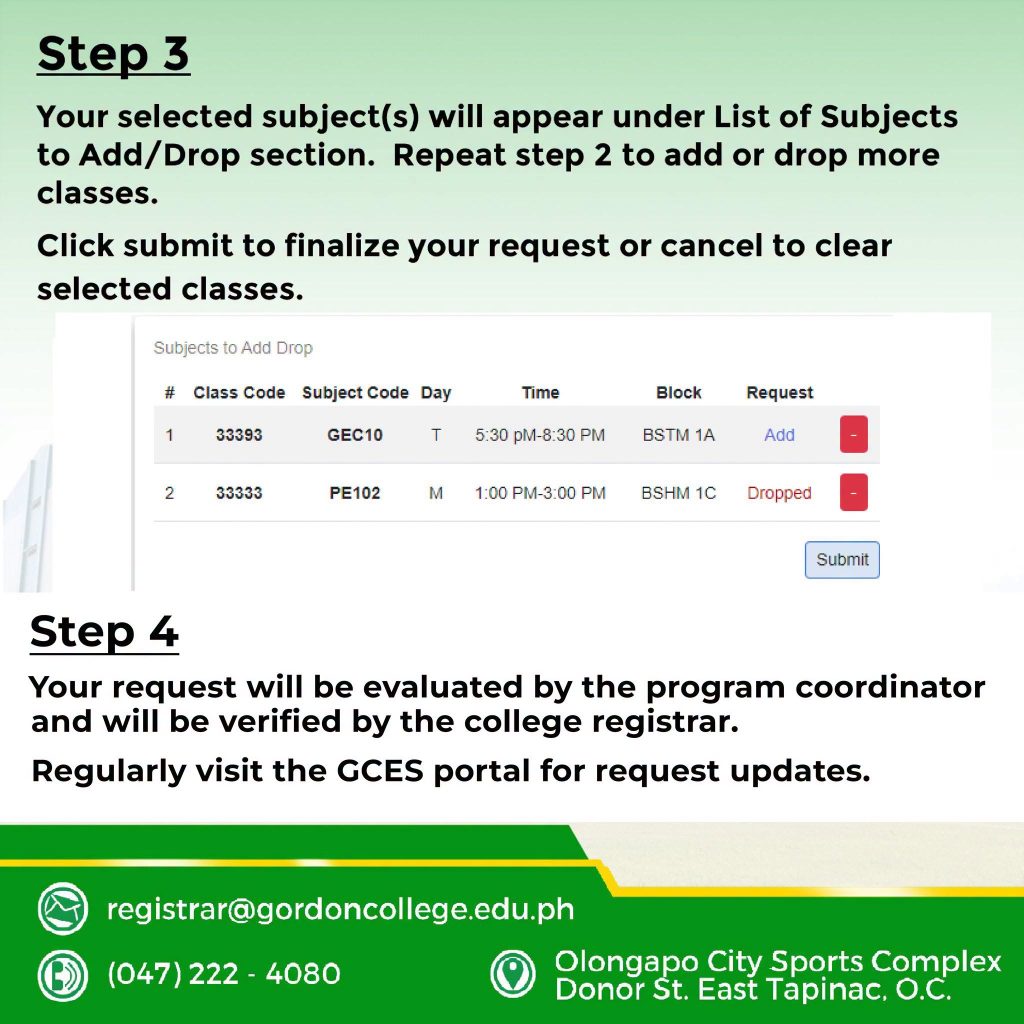
𝗦𝘁𝗲𝗽 𝟯
Your selected subject(s) will appear under List of Subjects to Add/Drop section. Repeat step 2 to add or drop more classes.
Click submit to finalize your request or cancel to clear selected classes.
𝗦𝘁𝗲𝗽 𝟰
Your request will be evaluated by your program coordinator and will be verified by the college registrar.
Regularly visit the GCES portal for request updates.